Supported games

  • Tetris box art Tetris
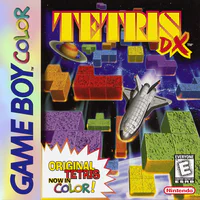
  • Tetris DX box art Tetris DX
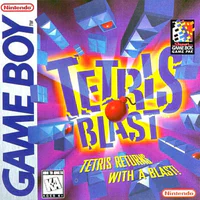
  • Tetris Blast box art Tetris Blast
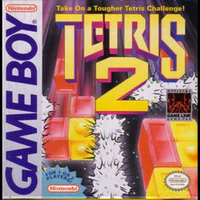
  • Tetris 2 box art Tetris 2
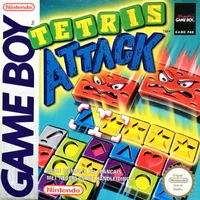
  • Tetris Attack box art Tetris Attack
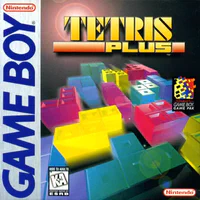
  • Tetris Plus box art Tetris Plus

Both players need the same title. The page detects which game is linked and matches you with that game only.

Requirements

  • Game Boy or Game Boy Color
  • One of the cartridges in the list above
  • GB-Link adapter and a Game Boy or Game Boy Color link cable
  • Chrome, Edge, or Firefox 151 or newer
  • Firmware 3.0.0 or newer for Tetris DX, Tetris Attack, and Tetris Plus. Update firmware if the page says your adapter is older.

How to play

  1. Insert your cartridge and turn the console on. Leave it on the title or main menu.
  2. Open tetris.gblink.io and click Connect USB.
  3. Wait until the page shows that your game is connected. Follow any on-screen prompt for that title.
  4. Pick Find Match for a random opponent, or Private Lobby to create or join a game.
  5. When both sides are ready, start the match from the page (or wait for matchmaking to start it).

Per game

  • Tetris: Leave the Game Boy on the main menu while it connects. Choose music on the page, then open the two-player game when the match is about to start.
  • Tetris DX: When it asks for player data, pick a slot with A (GUEST is fine). Before each round, press A on the Game Boy when the page asks.
  • Tetris Blast: Pick your stage and level on the Game Boy, then press A. Press B if you need to change them before the match starts.
  • Tetris 2: Set speed and round on the Game Boy with LEFT and RIGHT. Choose the settings row and the music on the page.
  • Tetris Attack: Pick level and stage on the Game Boy with A. Press A again when the page asks you to start the match.
  • Tetris Plus: Pick your level on the Game Boy and press A.

Custom garbage

Minoselector builds a custom starting stack, piece sequence, and garbage well for classic Tetris. Copy that data, then paste it under Optional: send custom Garbage, Pieces and Well column to the server on the Tetris page.

Tips

  • Both players need the same cartridge title.
  • If you restart the Game Boy, use Reconnect Game Boy on the page.
  • If the page is refreshed, unplug the adapter, plug it back in, and connect again.

Watch

Game Boy Tetris online on the GB-Link YouTube channel.

History

Tetris online was one of the earliest GB-Link implementations, originally open-sourced by Stacksmashing. It demonstrated that classic link-cable games could work over the internet.