Trade puts two players in one room. Enter a room code of up to five digits, or press Generate and send that code to the other player. Both players pick the same generation.
Battle is a Colosseum match for Generation 1 and 2, with a room code the same way. Generation 2 waits between turns so the two games stay in step. The wait starts at 30 seconds. Change it in Settings as Battle Turn Time, or press Start turn now once the game shows “Waiting…!”.
Pool Trade takes a Pokémon from the shared pool and puts yours in. This mode skips the room code. pokemon.gblink.io/pool
lists the current pool for each generation. In Settings, Max Level caps what you can receive (5–100). Convert to Eggs applies to Generation 2 pool trades.
Time Capsule is the Generation 2 button. Turn it on and that game joins a Generation 1 room, so it can trade with Red, Blue, Green, or Yellow. Two Generation 2 games can use it together when both have it on. Pool trades with it on use the Generation 1 pool. Trade and Pool Trade stay available while it is on.
Go upstairs in a Pokémon Center and enter the Colosseum.
Generation 2 pauses while battle animations play. Wait until the game shows “Waiting…!”, then the page continues on its own, or press Start turn now.
A few moves can fall out of step. In Generation 1, that includes Counter, Mirror Move, Psywave, Fly, Dig, and Mimic. In Generation 2, Beat Up is risky, and Whirlwind, Roar, Metronome, or Mimic make the opponent’s moves hard to check for a while. If the other player’s data has to be repaired, the battle stops and the page reports that something changed.
On the Generation 2 game, pick Gen 2 and turn Time Capsule on.
The Generation 1 player picks Gen 1 and Trade, with the same room code.
Press Start on both pages.
On Generation 2, open the Time Capsule from a Pokémon Center PC. On Generation 1, talk to the Cable Club attendant.
Two Generation 2 players both turn Time Capsule on, share a room code, and each open the Time Capsule. Generation 1 can only take Pokémon, moves, and held items from its own list.
Send Multiboot loads
Pokémon Gen3 to GenX onto the Game Boy Advance. That program reads a Generation 3 cartridge and trades through a Game Boy Color link cable. The page sets the adapter to 3.3V for this transfer.
Turn the GBA on with no cartridge and leave it on the Nintendo logo.
On the page, pick Gen 3, connect the adapter, and press Send Multiboot.
On the GBA, choose Load Cartridge and insert Ruby, Sapphire, Emerald, FireRed, or LeafGreen. A cartridge that was already inserted is read when the transfer finishes.
To trade with another Generation 3 game on this page, set the program to Gen 3, then pick Trade or Pool Trade and press Start.
To trade that cartridge with a Generation 1 or 2 game, set the program to that generation. On the page, pick the same generation as the other player, then Trade or Pool Trade.
The program’s own menu can also set the clock in Ruby, Sapphire, and Emerald and apply a few cartridge fixes. Those options stay on the GBA.
Buffered Connection is off by default. If you turn it on, or you accept the other player’s buffered mode, the first pass is a stand-in. On a trade, cancel it on the Game Boy. On a battle, pick any action, then flee. The real session follows.
Default Names in Trades is off. Default Names in Battles is on. Both are in Settings.
Press Stop before you start another session.
Opening this page from the GB-Link desktop app connects BGB for Generation 1 and 2. The app is at
gblink.io/bgb.
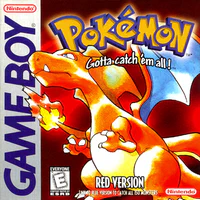 Pokémon Red, Blue, Green, Yellow
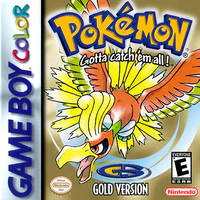 Pokémon Gold, Silver, Crystal
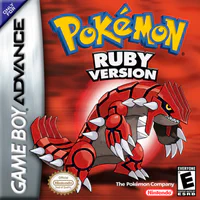 Pokémon Ruby, Sapphire, Emerald, FireRed, LeafGreen