Supported games

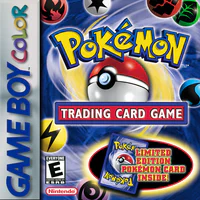
  • Pokémon Trading Card Game box art Pokémon Trading Card Game

Requirements

  • Game Boy or Game Boy Color
  • Pokémon Trading Card Game cartridge
  • GB-Link adapter and a Game Boy or Game Boy Color link cable
  • Chrome, Edge, or Firefox 151 or newer

How to play

  1. Insert Pokémon Trading Card Game and turn the console on.
  2. Open tcg.gblink.io .
  3. Click Connect USB and select your adapter.
  4. Pick how you want to duel:
    • Find Match for a random opponent
    • Private Lobby to host or join with a 4-letter code
  5. On the Game Boy, talk to the Battle Center clerk and pick a deck.
  6. Leave the Game Boy on Press START when ready. Do not press START. The page starts the duel when both sides are ready.

Your trainer name on the page comes from the Game Boy after the link handshake.
Find Match

  1. Click Find Match.
  2. Wait while the page finds an opponent.
  3. Meanwhile, get to Press START when ready on the Game Boy and leave it there.

Private Lobby

  1. Click Private Lobby.
  2. To host: pick Prize cards (2 to 6), click Create, then share the code with your opponent.
  3. To join: enter the 4-letter code under Join game and click Join.
  4. Both players get to Press START when ready on the Game Boy and leave it there until the duel starts.

Tips

  • Both players need a Pokémon Trading Card Game cartridge.
  • If the Game Boy shows a communication error, back out to the Club, rejoin the Battle Center, and wait on Press START when ready again.
  • If the page is refreshed, unplug the adapter, plug it back in, reload tcg.gblink.io , and click Connect USB again.