Title here
Summary here
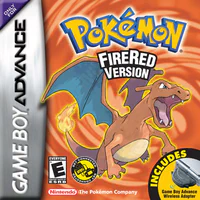 Pokémon FireRed
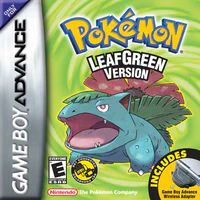 Pokémon LeafGreen
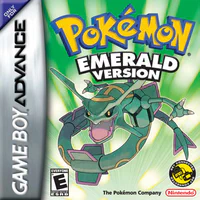 Pokémon Emerald
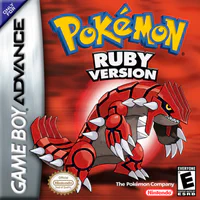 Pokémon Ruby
 Pokémon Sapphire
The Switch must be running FireRed or LeafGreen. The GBA can use FireRed, LeafGreen, or Emerald for wireless-style rooms, or Ruby / Sapphire over the cable path described below.
PC to Switch and Mystery Gift need only the ESP32 board. GBA to Switch also needs a GB-Link adapter.
prod.keys file. The page sends four keys from it to the board over USB; nothing is uploaded anywhere| Chip | Connects over |
|---|---|
| ESP32 (original) | USB-to-UART chip, 921600 baud |
| ESP32-S3 | Native USB |
| ESP32-C6 | Native USB |
| ESP32-C3 | Native USB |
Open switch.gblink.io in Chrome or Edge.
prod.keys on the page.On the Switch, go upstairs in a Pokémon Center to the Direct Corner, pick Trade Center or Colosseum, and become the leader. On the GBA, pick the same room and join the group. The Switch shows up after a few seconds. You can also lead on the GBA and join from the Switch. After you leave the room, the board restarts and is ready again in about ten seconds.
Ruby and Sapphire have no wireless. Pick Ruby, Sapphire in the Play step and press Start, with both boards on USB. The page links them by cable and turns that link into the Switch’s wireless. Lead a Trade Center or Colosseum group (single or double battle) on the Switch, then on the GBA talk to the attendant upstairs in a Pokémon Center (middle counter to trade, left counter for the same kind of battle). The page joins the Switch’s group once the GBA has linked; accept the join on the Switch. The Switch always leads.
Pokémon from Ruby, Sapphire, or Emerald may not be tradable out of the Switch’s game until that game has the National Dex and has finished the Sevii Islands story (Cerulean Cave on the town map). The page can bypass the National Dex requirement only while it carries the link, not when the boards are wired together. FireRed and LeafGreen do not need the bypass.
Pick Online with Celio at the top of the page. Create a session and share its Session Id, or join someone else’s. GBA and emulator players connect at celio.gblink.io ; another Switch player uses this page. Press Start once they have joined, then follow the on-screen prompt for whether the Switch should lead or join.
Open switch.gblink.io/#switch . Host a Trade Center room on the Switch, press Connect, accept the join, and sit at the table.
.pk3 filesKeep the tab visible while you trade; a hidden tab runs too slowly for the game.
Open switch.gblink.io/#gift . Choose a Wonder Card and press Start. On the Switch, pick MYSTERY GIFT → WONDER CARDS → FRIEND, then choose GBLINK. After the card is saved, talk to the deliveryman upstairs in any Pokémon Center.
MYSTERY GIFT appears on the main menu after you answer a Poké Mart questionnaire with LINK TOGETHER WITH ALL, then save.