Supported games

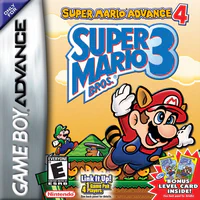
  • Super Mario Advance 4 box art Super Mario Advance 4

Requirements

  • A browser
  • Super Mario Advance 4 (USA or Japanese), a GB-Link adapter, and e-Reader if you want the level on a real Game Boy Advance

How to use

  1. Open sma4.gblink.io/editor and build a level, or pick one from popular levels.
  2. Download the level from the editor. That download is a .sav file.
  3. Open ereader.gblink.io , choose Super Mario Advance 4, and drop in the .sav.
  4. Scan it as a Level Card. The in-game steps are on the e-Reader page.

The editor does not connect to USB. The e-Reader client is what talks to the adapter.

Tips

  • The editor does not host or ask for ROMs.

Source: GB-Link/sma4editor, a fork of Smaghetti by Matt Greer.